
Mechanical Keyboards: Switches Explained
Linear, tactile, or clicky? A deep dive into choosing the right switches for typing and gaming.
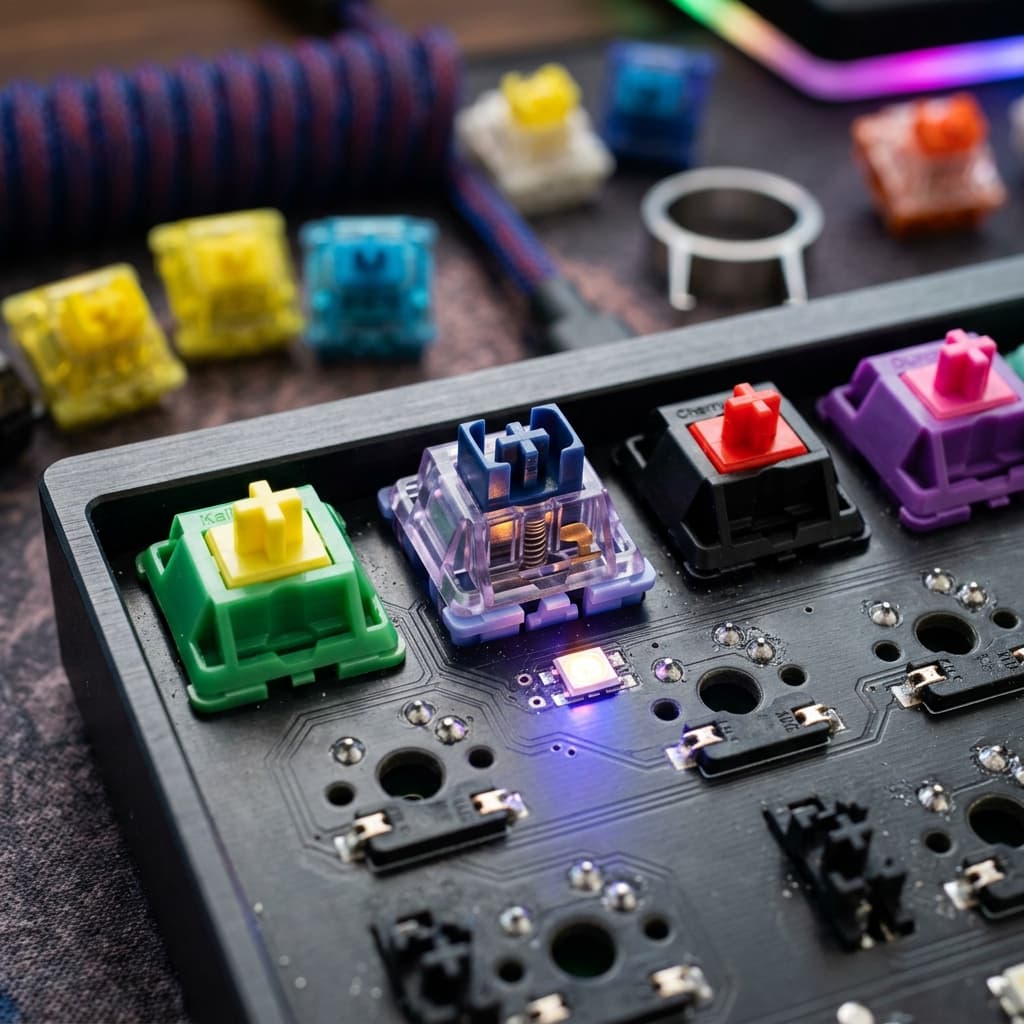
Mechanical Keyboards: Switches Explained
If you spend hours typing or gaming, upgrading to a mechanical keyboard is one of the best investments you can make. But with dozens of switch options on the market, it can be intimidating to choose.
Let's break down the three primary categories of mechanical switches: Linear, Tactile, and Clicky.
1. Linear Switches (Quiet & Smooth)
Linear switches are preferred by gamers. They offer a smooth, consistent keystroke from top to bottom with no tactile bump. Red switches (like Cherry MX Reds or Gateron Reds) are the classic examples.
2. Tactile Switches (Responsive & Quiet)
Tactile switches are the favorite among programmers and writers. They feature a noticeable bump halfway through the press, letting you know the key has registered without needing to bottom out. Brown switches are the standard here.
3. Clicky Switches (Loud & Satisfying)
Clicky switches offer both a tactile bump and a distinct click sound. They provide maximum feedback, but can be very distracting in an office environment. Blue switches are the classic clicky choice.
Featured in Guide
Quick links to full reviews and current pricing of the tech/gadgets featured in this article:
Need a setup match?
Use our dynamic Product Finder to receive tailored suggestions tailored to your budget and work requirements.
Try Product Finder